A family tree can be a fun way for children to learn about the people, relationships, stories, and traditions that make their family unique. With a simple family tree template for kids, children can turn names and relationships into something they can see, draw, discuss, and share.
The best template does not need to be complicated. For younger children, large boxes, simple labels, and plenty of room for drawings are usually more useful than a page packed with decorative elements. Older children may enjoy adding photographs, birth years, places, family traditions, or short stories.
It is also important to remember that families do not all look the same. A meaningful family tree may include parents, grandparents, siblings, adoptive family members, caregivers, guardians, blended families, or other people who play an important role in a child’s life.
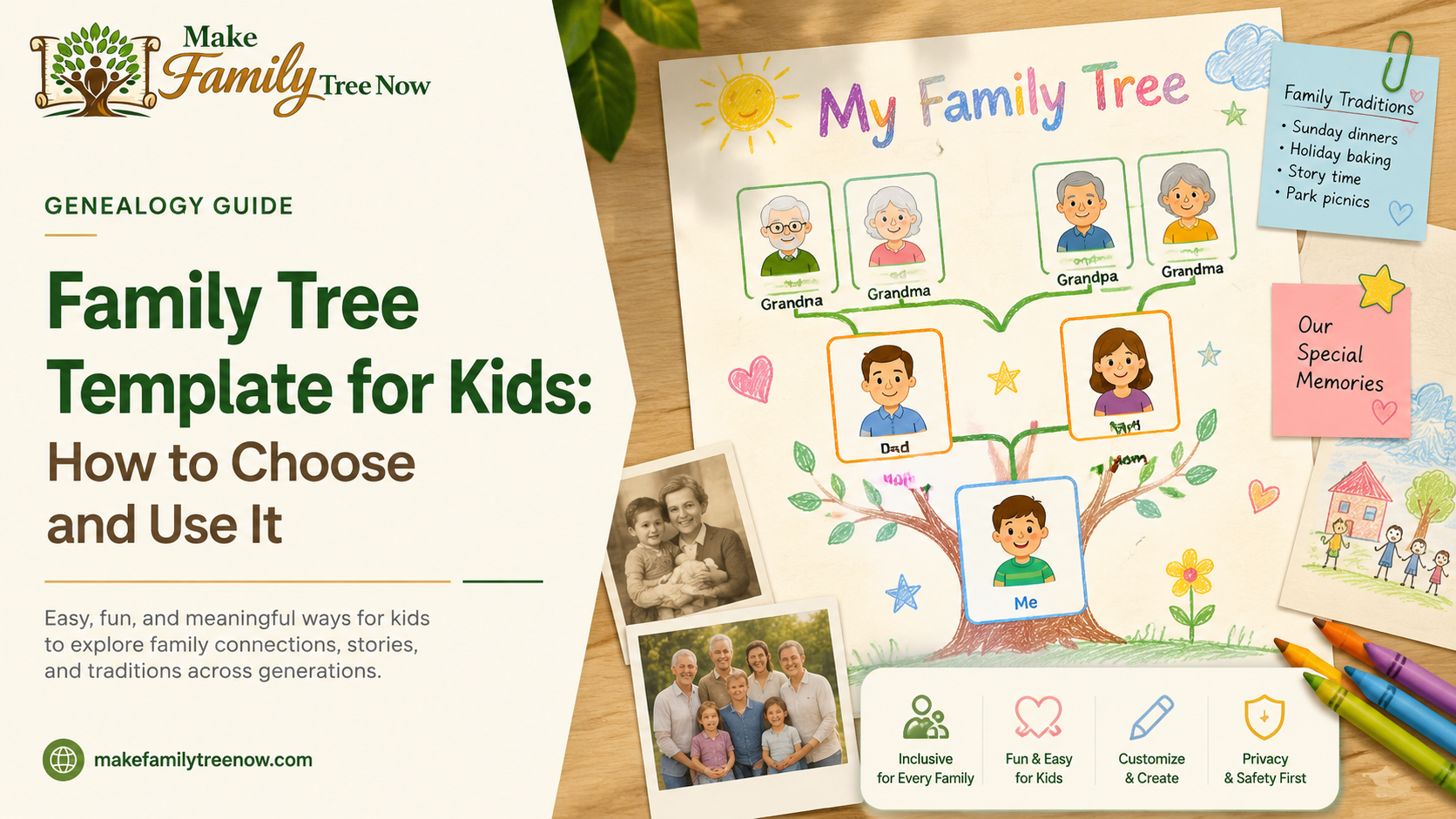
This guide explains how to choose a family tree template for kids, what information to include, and how to turn the finished activity into a useful family-history project.
What Makes a Good Family Tree Template for Kids?
A good children’s family tree should be easy to understand, easy to complete, and flexible enough to represent the child’s family accurately.
For younger children, the activity might simply involve writing names and drawing pictures. Older students can add dates, places, photographs, or information gathered through conversations with relatives.
A useful template should provide:
- Large spaces for names and drawings
- Clear relationship lines
- Simple labels
- Enough room for two or three generations
- Space for photographs when appropriate
- A layout that can be printed easily
- Flexibility for different family structures
The goal is not to create a perfect genealogy chart. The goal is to give children a comfortable way to explore family relationships and learn about the people connected to their story.
How Many Generations Should a Child Include?
For most children, two or three generations are enough.
A younger child might create a chart showing themselves, their parents or caregivers, and grandparents. An older student may be ready to explore great-grandparents and add a few historical details.
Adding too many generations can quickly make the page difficult to read. If the assignment requires a larger family history, consider using more than one page rather than shrinking everything into tiny boxes.
Before choosing a template, think about:
- The child’s age
- The school assignment
- How much information is available
- Whether photographs will be included
- How the finished project will be displayed
A smaller, readable chart is often more successful than one that tries to include every known relative.
Choose a Template That Fits the Child
Not every child will enjoy the same type of activity.
A younger child may prefer a colorful template with space for drawings. An older student might prefer a cleaner design where they can add names, dates, photographs, and short research notes.
For younger children
Look for:
- Large writing spaces
- Simple relationship lines
- Minimal text
- Room for drawings
- Easy-to-follow instructions
For older children
You can choose a template with space for:
- Birth years
- Places
- Family photographs
- Short stories
- Family traditions
- Interview notes
- Historical information
The template should support the learning activity rather than make the child spend most of the time figuring out how the layout works.
Make the Family Tree Inclusive
A family tree should reflect the child’s real family experience rather than forcing every family into the same structure.
Some children may live with one parent, two parents, grandparents, guardians, adoptive parents, foster families, or blended families. Others may have important relationships with relatives who live in another household.
If a traditional ancestor chart does not fit, adjust the labels or choose a more flexible family-network design.
The important question is not simply, “Who is biologically related?” It can also be:
“Who are the people who are meaningful in this child’s family story?”
This approach makes the activity more welcoming while still allowing children to learn about genealogy and relationships.
What Information Should Children Add?
Keep the information appropriate for the child’s age.
A simple project may only need:
- Name
- Relationship
- Drawing or photograph
An older child may also include:
- Birth year
- Birthplace
- Family tradition
- Favorite memory
- Short family story
- Historical detail
There is no need to fill every box just because the template provides one.
If a child does not know someone’s information, leaving the space blank is perfectly fine. It can even become a starting point for a conversation with a parent, grandparent, or another relative.
Turn the Activity Into a Family Conversation
One of the most valuable parts of a family tree project may happen away from the worksheet.
Ask relatives simple questions such as:
- Where did our family live?
- What was your childhood like?
- What family traditions do you remember?
- Do you have an old photograph?
- Who taught you a favorite recipe?
- What story has been passed down in our family?
The child can add one interesting answer to the project.
This gives the family tree more meaning than a page containing names alone. It also introduces children to the idea that family history is made up of stories, memories, places, records, and relationships.
Add Photographs or Drawings
Photographs can make the project more engaging, but they are not required.
Children can use:
- Family photographs
- Drawings
- Initials
- Small symbols
- Pictures of meaningful objects
For younger children, drawing a person may actually be more enjoyable than inserting a photograph.
If you do use photographs, make sure the people are correctly identified and that an adult has approved the images before the project is displayed publicly or shared online.
For more visual inspiration, you can explore these family tree picture ideas and choose an approach that matches the child’s age and the type of project.
A Simple Step-by-Step Way to Create the Family Tree
Once you have chosen the template, the activity can be completed in a few simple stages.
1. Start With the Child
Place the child or the main subject at the center or in the position indicated by the template.
Explain that the chart shows selected family relationships. It does not have to represent every person connected to the family.
2. Add Parents, Caregivers, or Other Important Relationships
Add the people the child wants and is comfortable including.
Use labels that make sense for the family rather than changing meaningful relationships simply to fit a traditional diagram.
3. Add Grandparents or Earlier Generations
If reliable information is available, move outward to grandparents and great-grandparents.
Do not pressure the child to find information about relatives who are unavailable or with whom the family does not have contact.
4. Connect the Relationships Clearly
Use simple lines and labels so that another child, teacher, or relative can understand who is connected to whom.
Avoid decorative lines that cross unnecessarily. A clean chart is easier to follow.
5. Add One Interesting Family Detail
Choose one small piece of family history.
It could be:
- A traditional food
- A family celebration
- A place where relatives lived
- A memorable object
- A favorite saying
- A short story from an interview
One meaningful detail can make the entire project feel more personal.
6. Review the Finished Page
Before the child submits or displays the project, an adult should check spelling, relationships, photographs, and any personal information.
The purpose of this review is not to change the child’s work. It is simply to make sure the information is appropriate and safe to share.
Family Tree Templates for Different Learning Activities
A family tree does not have to be limited to one type of assignment.
Family history project
Children can combine names with photographs, dates, places, and short stories.
Classroom activity
A simpler two- or three-generation chart may work better, especially when children have different family circumstances.
Genealogy introduction
Older students can learn how family relationships connect with historical records and research.
Heritage project
The chart can include family traditions, foods, languages, places, or cultural memories that are meaningful to the student.
Historical family tree
A child can also create a family tree for a historical person instead of using their own family. This can be a useful alternative when a personal family-history assignment is uncomfortable or not practical.
Privacy Matters, Especially With Children’s Projects
A family tree displayed in a classroom can sometimes be photographed or shared outside the original setting.
For that reason, avoid including unnecessary private information about living people.
Children generally do not need to display:
- Full birth dates
- Home addresses
- Phone numbers
- Personal contact details
- Sensitive family circumstances
- Private stories
- Other information that relatives have not agreed to share
Years, first names, relationships, drawings, or general locations may be enough for the learning goal.
An adult should review the finished project before it is posted online, sent to a school platform, or displayed publicly.
How to Make the Project More Educational
A family tree can teach much more than family relationships.
Depending on the child’s age, it can introduce:
- Basic genealogy
- Timelines
- Historical research
- Geography
- Interview skills
- Writing
- Family traditions
- Source evaluation
For example, an older student could compare a family story with an historical record and discuss how the two sources relate.
The family tree template section of MakeFamilyTreeNow can also be used as a starting point when you want to explore different ways of organizing a family tree.
What If the Child Does Not Know Some Family Information?
That is completely normal.
Family history is rarely complete, especially when records are unavailable or relatives have not discussed certain parts of the family’s past.
Instead of guessing, write:
- Unknown
- Information not available
- To be researched
- Ask Grandma
- Ask a relative
This can turn a missing answer into part of the learning process.
It also teaches children an important research habit: not knowing something is different from making something up.
Should You Use a Printable or Digital Template?
Both options can work.
A printable template is ideal when children need to draw, write by hand, color, or add photographs physically.
A digital template can be more useful for older students who want to edit names, move boxes, insert photographs, or create a polished final project.
If you are comparing formats, our guide to printable and editable family tree templates can help you decide which approach suits the project.
When a Family Tree Maker May Be Better
A simple worksheet is perfect for a school activity or introductory family-history project.
However, if the child or family becomes interested in researching multiple generations, a dedicated family tree tool can make the process easier.
A free family tree maker can be useful when you want to organize relationships digitally and continue adding information as research develops.
The printable worksheet can then become the child-friendly presentation, while the larger digital tree holds the research behind it.
How to Review the Finished Family Tree
Before displaying the project, look at it from the perspective of someone who does not already know the family.
Check that:
- Names are spelled correctly
- Relationship lines are clear
- Photographs are correctly identified
- Labels are easy to understand
- Important information is not presented as fact if it is uncertain
- The text is large enough to read
- Personal information is appropriate to share
- The project follows the teacher’s instructions
Most importantly, ask the child whether they are comfortable with what is being displayed.
A family-history project should be educational and enjoyable, not a reason for a child to feel pressured to share private family information.
Final Thoughts
A family tree template for kids works best when it gives children enough structure to begin exploring family history without making the activity feel complicated.
Choose a template with large, readable spaces and a manageable number of generations. Let children add names, drawings, photographs, stories, or traditions in ways that suit their age and interests. Most importantly, allow the template to adapt to the child’s family rather than expecting every family to fit the same structure.
For a simple school activity, a printable worksheet may be all you need. As the family’s research grows, you can move to a digital family tree maker and continue building the family history over time.
The best children’s family tree is not the most detailed one. It is the one that starts a conversation, encourages curiosity, and helps a child understand that every family has a story worth exploring.
Frequently Asked Questions
What age is a family tree activity suitable for?
Family tree activities can be adapted for different ages. Younger children can focus on names and drawings, while older children can add dates, places, photographs, interviews, and historical details.
How many generations should a child’s family tree show?
Two or three generations are usually enough for a child-friendly project. More generations can be added when the child is comfortable with the research and the information is available.
What if a child’s family does not fit a traditional family tree?
Use a flexible layout that can include parents, caregivers, guardians, adoptive family members, blended families, or other meaningful relationships. The template should adapt to the family.
Can children draw pictures instead of using photographs?
Yes. Drawings, initials, symbols, and meaningful objects can all work well, especially for younger children.
Should children include exact birth dates?
Usually, they are not necessary. Years or no dates at all may be more appropriate, particularly when the project will be displayed publicly.
What if some information is unknown?
Leave the space blank or label it as unknown. Missing information can become an opportunity for further research or a conversation with a relative.
Can a family tree be used as a school project?
Yes. Family trees can introduce children to genealogy, relationships, history, geography, interviewing, and research. Teachers and parents should make sure the assignment allows flexibility for different family situations.
Should a child’s family tree be shared online?
Only after an adult has reviewed it. Remove unnecessary personal information about living people and make sure photographs and other details are appropriate to share.
